I made a login page with TextBox on bottom, but when i put focus on TextBox keyboard appear and covered the entire TextBox.
I tried enabling scrollable on screen, also tried using Vertical Scroll arr, there is no way, it still covered by keyboard.
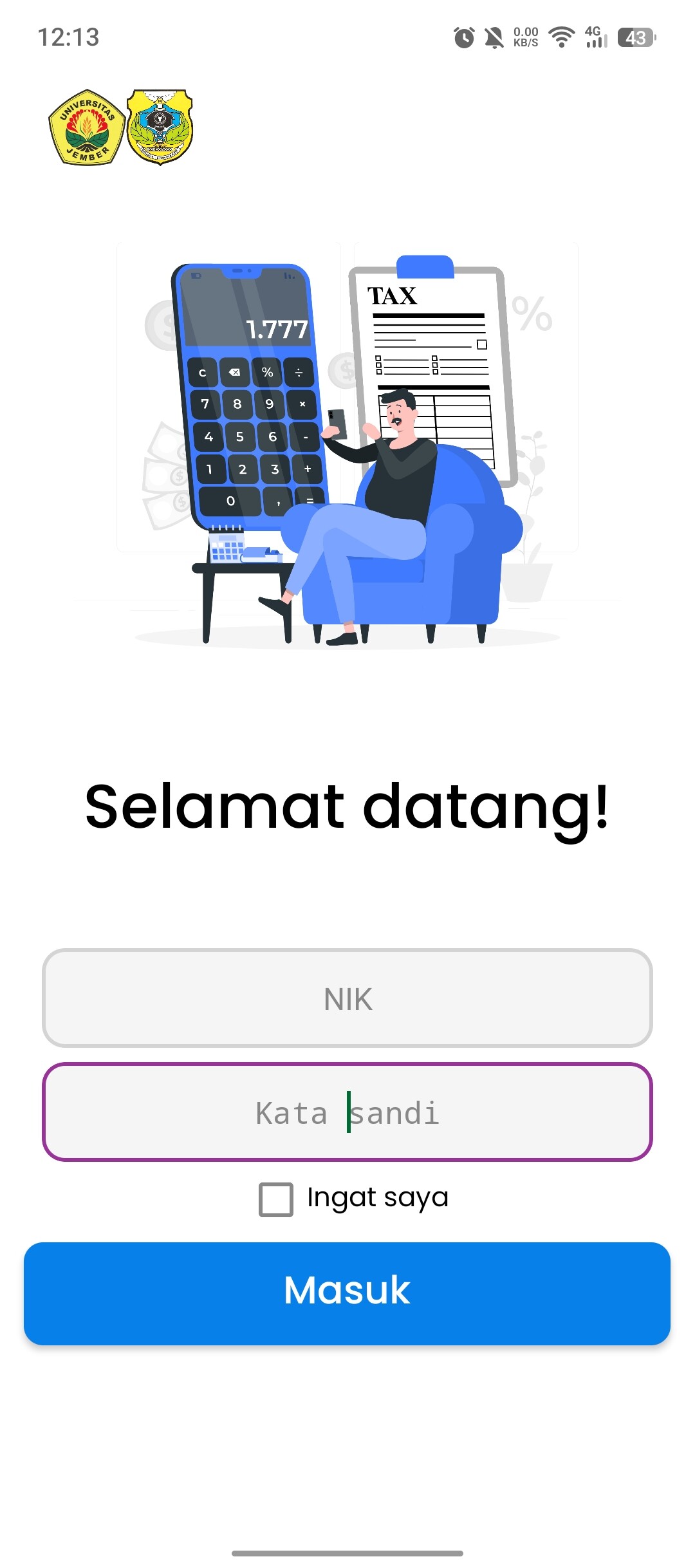
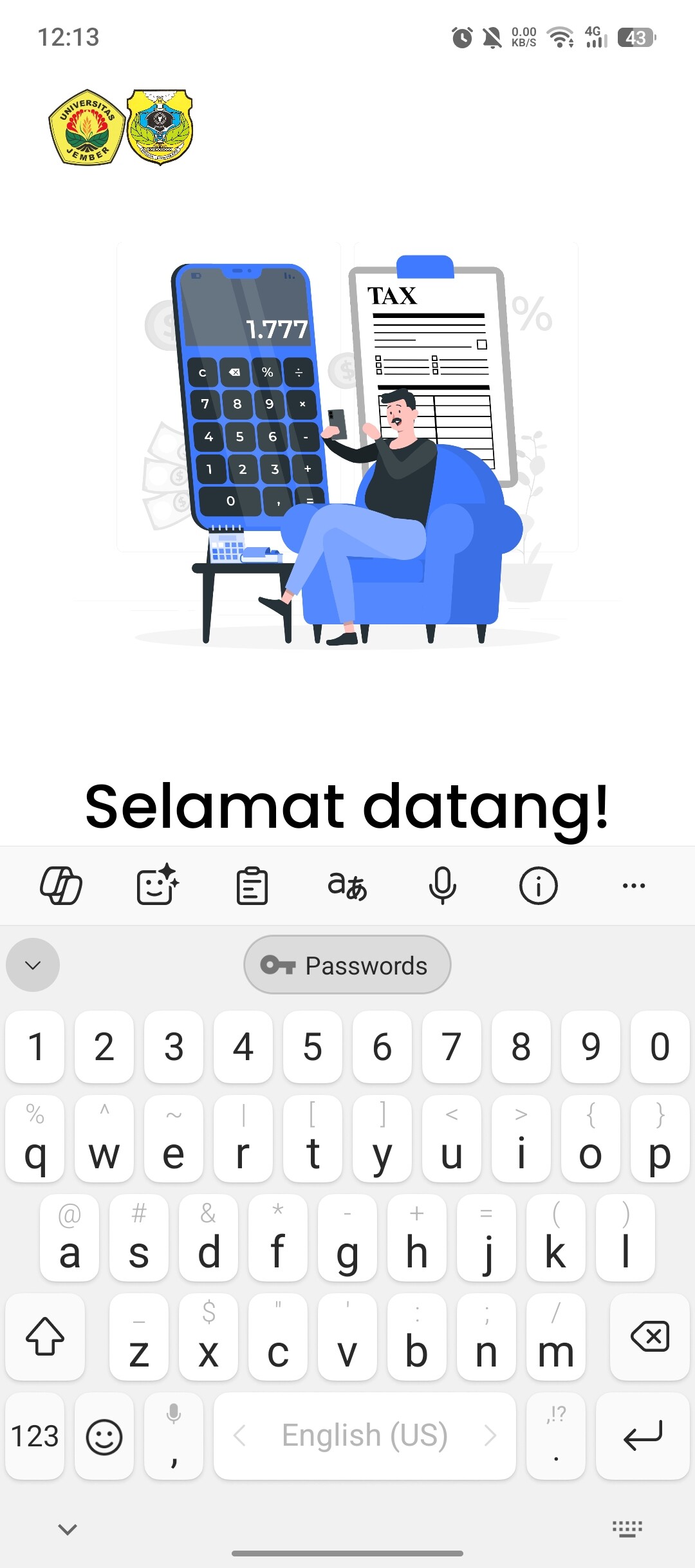

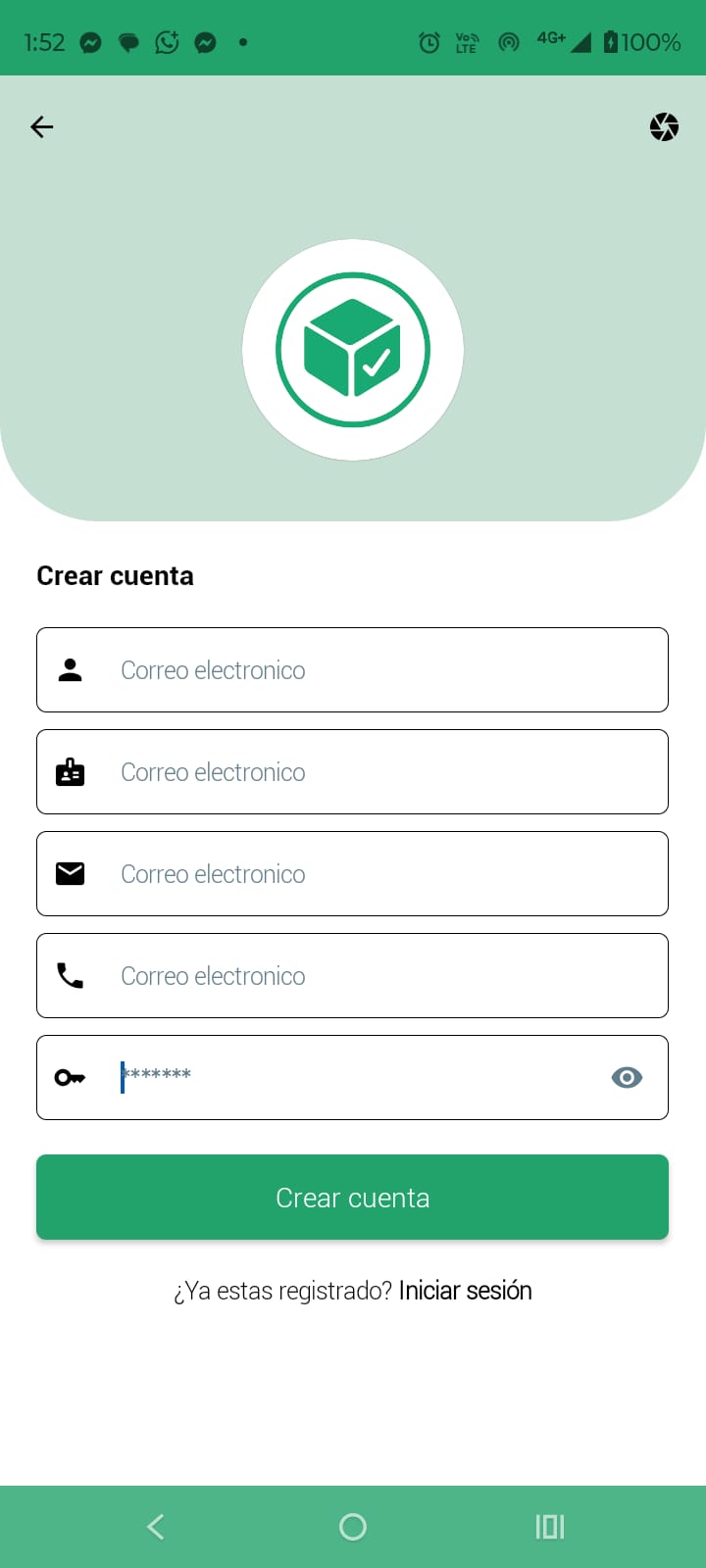
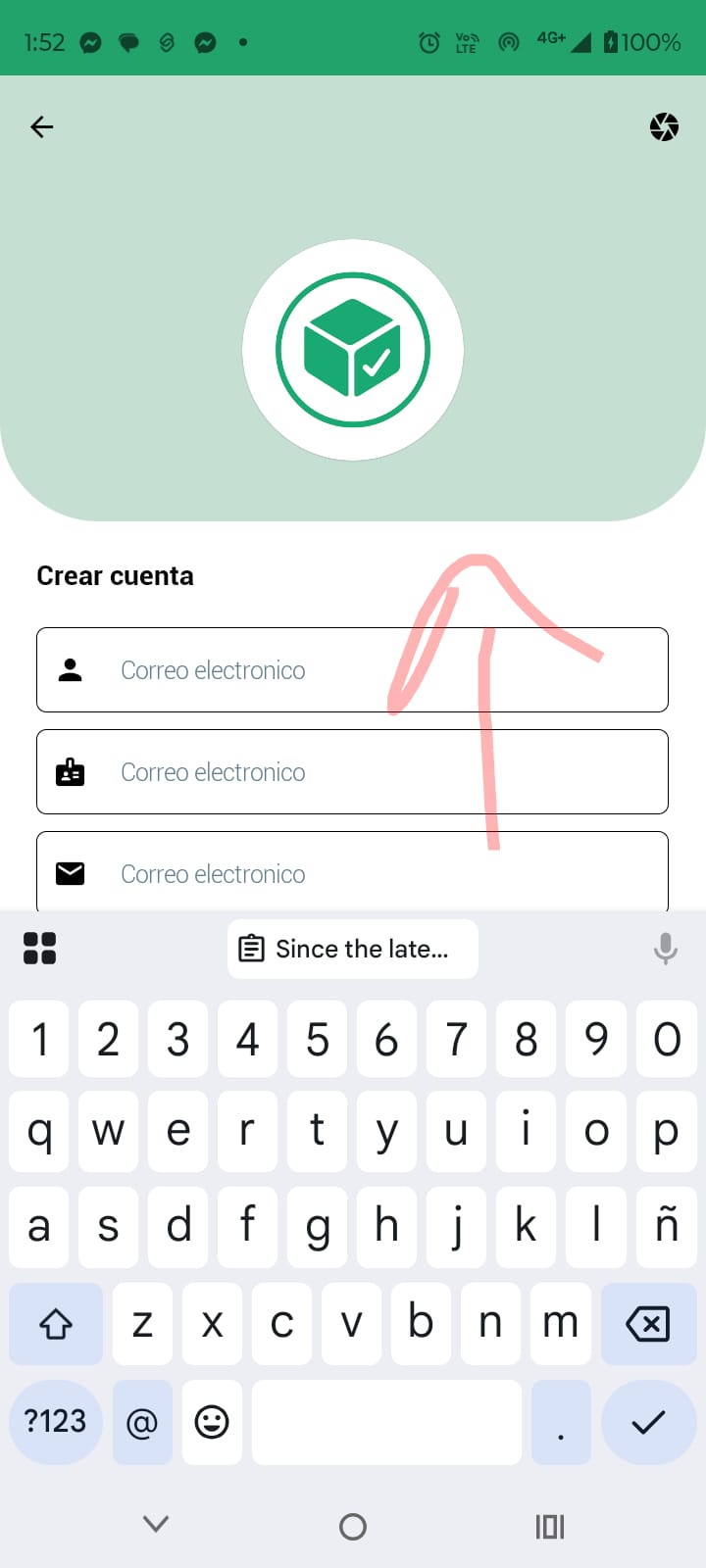
Since the latest update made to Niotron, whenever a user focuses on a text field where the view requires scrolling, it doesn’t allow it—the scroll does not appear, making it difficult to interact with the forms inside the application. This issue has been tested on different devices and the same thing always happens.
We kindly ask for your collaboration in solving this inconvenience.
Niotron Team, thank you very much for the support provided and for always being attentive to our needs. We understand that these kinds of issues are inevitable, but what we truly appreciate is the speed with which you provide solutions to these problems. For that, and much more, I sincerely thank you and hope you continue this way with this great platform.
Thank you.
Hey everyone! 
I found the solution to the issue where the screen doesn’t scroll when a TextBox is focused on Android 13 and above.
Just add this line in your AndroidManifest.xml for your activity:
<activity
    android:name=".MainActivity"
    android:windowSoftInputMode="adjustResize|stateHidden" />
 This ensures your layout resizes properly when the keyboard opens.
@Abhijith — this might help the Niotron team and others facing the same problem. 
Hmm, this problem only occurs on Android 15+. Post a test APK and the customised Manifest.