
i want to vibrate every 5 seconds in the background.
I tried many ways. but could not found a solution.
Is there any working aia available for testing “itoo”.
please provide it.
thank you
What is not working exactly?
Notification now shown? Does the app crash? Please provide more information.
i have added above blocks in my screen1. but it does not work. then I created another screen and copied same blocks.
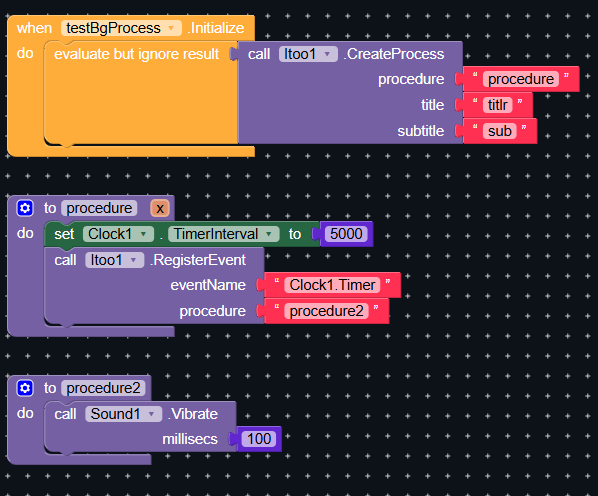
secreen2 blocks are working.
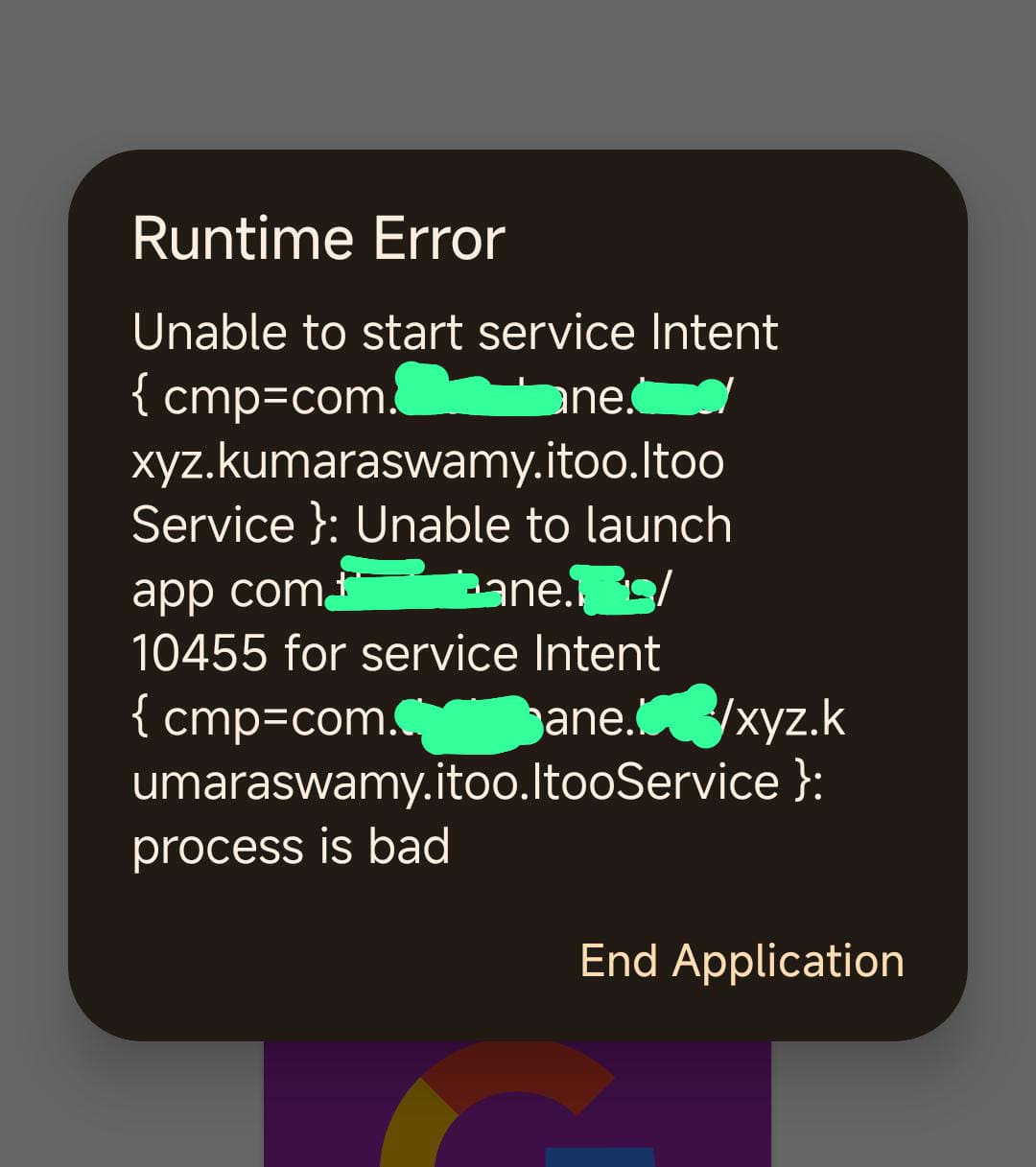
Sometimes below “Runtime Error” msg shows.
@Kumar
I am testing on Redmi 12 (android 15). I think device incompatibility was the problem
I am also doing almost same thing. I want to play sound when a new record found in MySQL table. Notification working fine. I tried both - sound and player components. If you find solution post please.
Some android phone/maker kills background activity as far I read on internet. So may be you are right. But with notification it is working fine in my device. Android 13 Realme 3S
You might want to provide a screenshot of your relevant blocks
Also you might want to test it in App Inventor to rule out possible Niotron issues
Taifun
Fixed issue. I was putting source mp3 file in designer instead block area.
I am trying to upload GPS point to my Google sheet By using Open Source • Background Tasks: Itoo 🚀 - Extensions - MIT App Inventor Community this extension but extension not working
block screenshot
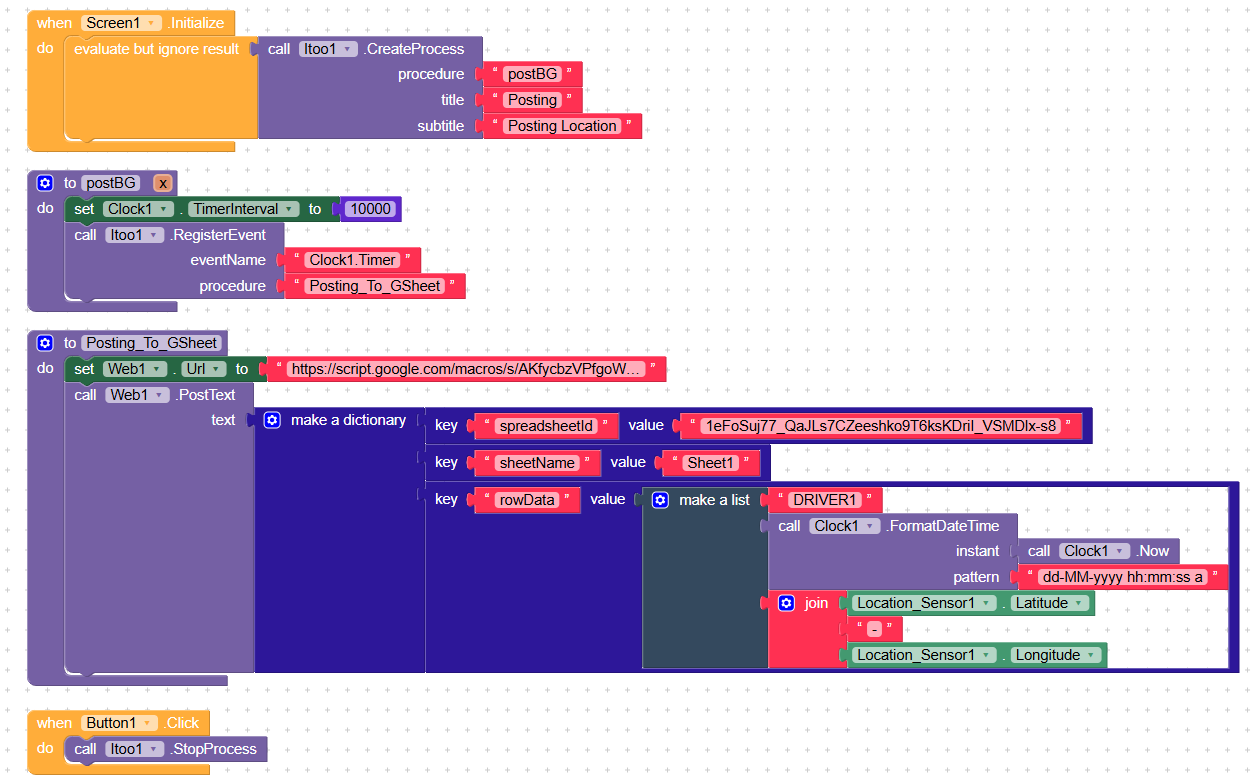
bg.aia (95.1 KB)
GSheet Link DRIVER POSITION - Arkusze Google
Google script.google
function doPost(e) {
  try {
    // Check if data is received
    if (!e || !e.postData || !e.postData.contents) {
      return ContentService.createTextOutput("Error: No Data Received").setMimeType(ContentService.MimeType.TEXT);
    }


    // Parse the incoming JSON data
    var rawData = e.postData.contents;
    var data = JSON.parse(rawData); // Expecting JSON format


    // Extract Spreadsheet ID, Sheet Name, and Data
    var spreadsheetId = data.spreadsheetId;
    var sheetName = data.sheetName;
    var rowData = data.rowData; // Data to append to the sheet


    // Open Google Sheet dynamically
    var sheet = SpreadsheetApp.openById(spreadsheetId).getSheetByName(sheetName);

    // Append data to the sheet
    sheet.appendRow(rowData);


    return ContentService.createTextOutput("Success: Data Uploaded!").setMimeType(ContentService.MimeType.TEXT);
  } catch (error) {
    return ContentService.createTextOutput("Error: " + error.message).setMimeType(ContentService.MimeType.TEXT);
  }
}
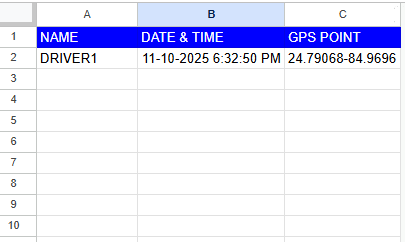
Trying To Store Data Like This
For background location access you need a bit more, for example background location permission and a more specialized background service
The locationservice extension could do it
Taifun