[FREE/OS] Chess Extension — Full Chess Board with AI Opponent 

A complete chess extension for MIT App Inventor and Niotron with built-in AI opponent, full FIDE rules, and interactive board rendering.
Overview
This extension brings a fully functional chess game into your App Inventor projects. It includes a complete chess engine with all official FIDE rules, a built-in AI opponent with adjustable difficulty, and an interactive board with piece selection and move highlighting.
Whether you’re building a chess learning app, a chess puzzle trainer, or just want to add a chess game to your project — this extension handles everything out of the box.
Version: 1.0
Package: io.devxhorizon.chess
Price: Free and open source
Compatibility: MIT App Inventor 2, Niotron, Kodular, AndroidBuilder
Features
- Complete FIDE chess rules — en passant, castling (kingside & queenside), pawn promotion, check, checkmate, stalemate
- Draw detection — 50-move rule, threefold repetition, insufficient material
- Built-in AI opponent using negamax search with alpha-beta pruning
- AI difficulty is adjustable — depth 1 (beginner) to 6 (strong)
- Interactive board — tap to select pieces, see legal moves, make moves by tapping
- Move highlighting — last move is highlighted, check is shown with a red border
- Board locks during AI’s turn — prevents accidental input while the AI thinks
- FEN import/export — load and save positions using standard FEN strings
- Undo move — undo your last move (undoes AI move too if AI is enabled)
- Programmatic move making — make moves from blocks for puzzles or automation
- Configurable colors — customize light squares, dark squares, selection highlight, and check indicator
- Algebraic notation support
- No external dependencies — pure Java, lightweight
How It Works
Setup
- Drag the Chess component (non-visible) to your screen
- Add an Arrangement (e.g., VerticalArrangement) where you want the board
- Call
InitializeViewwith the arrangement inScreen1.Initialize
Playing
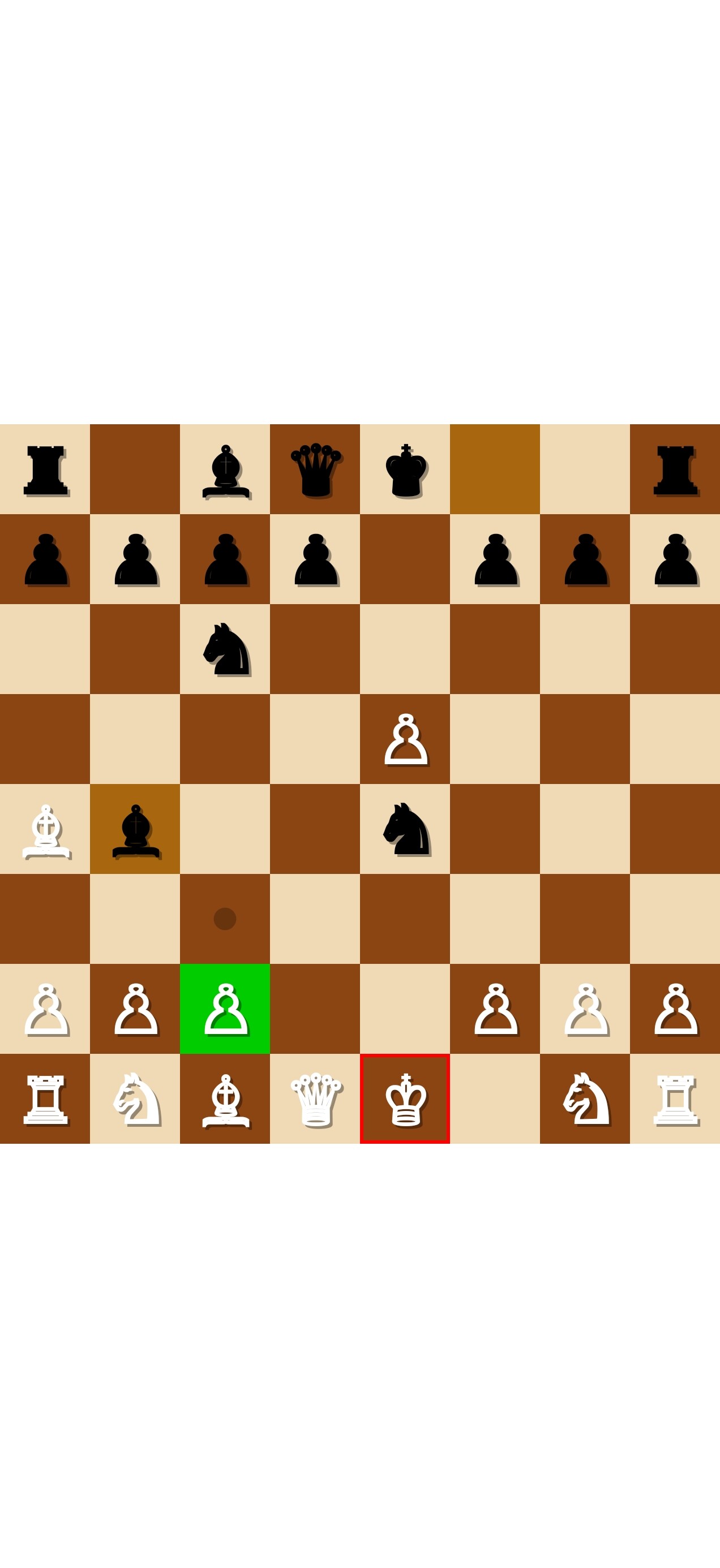
- Tap a piece to select it — green highlight appears on the selected square
- Legal moves are shown as small dots (quiet moves) or red rings (captures)
- Tap a highlighted square to make the move
- The board automatically detects check, checkmate, and draws
AI Mode
Set PlayAgainstAI to True and configure the difficulty:
AIDepth— search depth from 1 (fast, weak) to 6 (slow, strong). Default is 4.AISide— which side the AI plays:0= Black (you play White),1= White (AI plays first),2= None (two-player mode)
When it’s the AI’s turn, the board locks and the AI thinks in the background. The AI’s move is highlighted automatically when it’s done.



Blocks
All Blocks
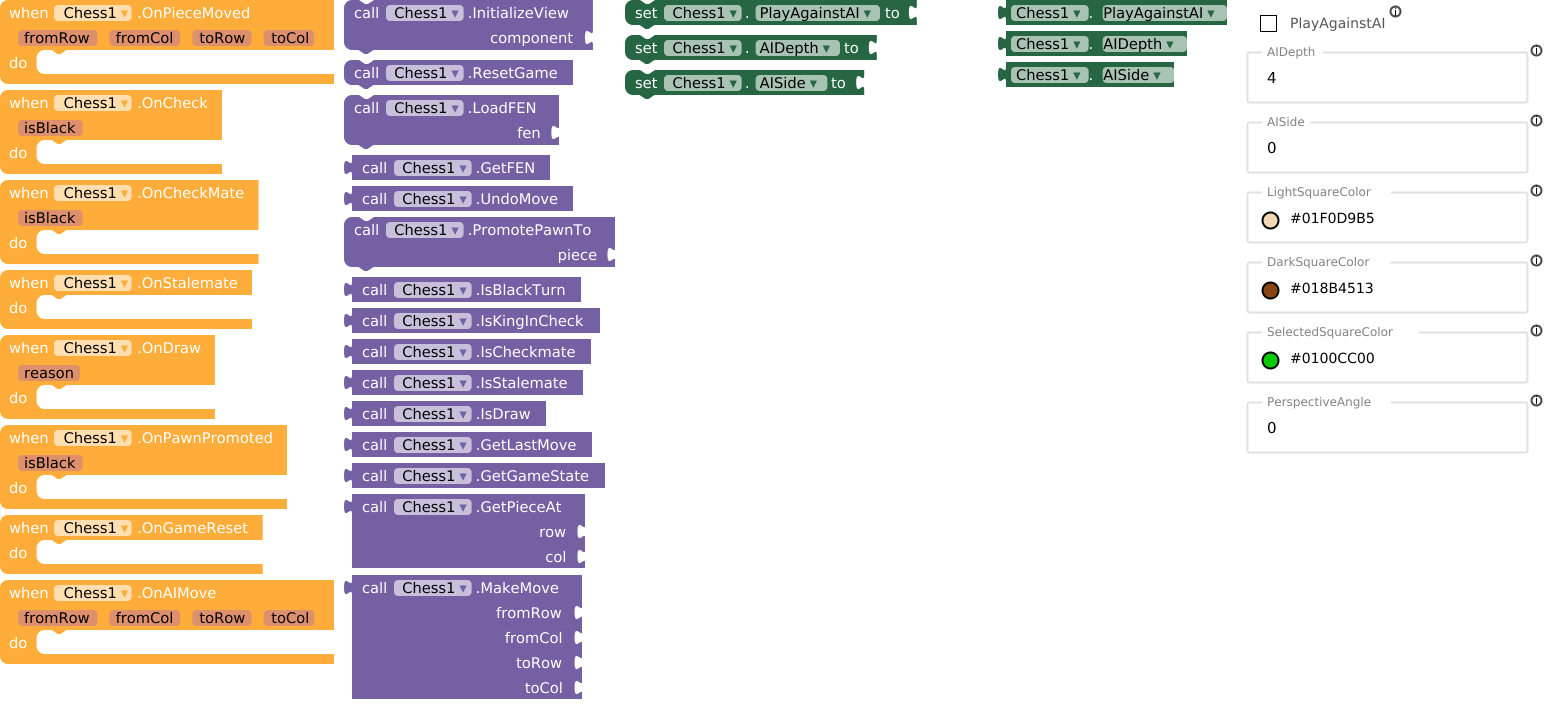
Methods
| Block | Description |
|---|---|
 |
Mount the chess board into an arrangement |
 |
Reset to starting position |
 |
Load a position from FEN string |
 |
Export current position as FEN |
 |
Undo the last move |
 |
Choose promotion piece (0=Q, 1=R, 2=B, 3=N) |
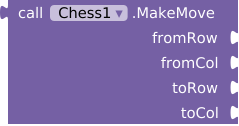
| Make a move programmatically | |
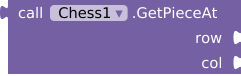 |
Get piece at a specific row/column |
 |
Get the last move as square names |
 |
Get full game state as a list |
 |
Check if it’s black’s turn |
 |
Check if king is in check |
 |
Check for checkmate |
 |
Check for stalemate |
 |
Check for any draw condition |
Events
| Block | Description |
|---|---|
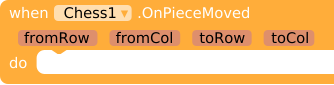 |
Fired after any move is made |
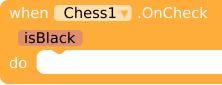 |
A king was put in check |
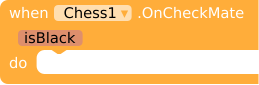 |
Checkmate — game over |
 |
Stalemate — draw |
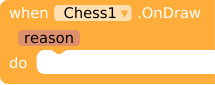 |
Draw occurred (repetition, 50-move, or insufficient material) |
 |
Pawn reached last rank — call PromotePawnTo() |
 |
Game was reset |
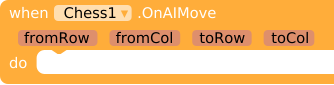 |
AI made a move |
Properties
| Block | Description |
|---|---|
 |
Enable/disable AI opponent |
 |
AI search depth (1-6) |
 |
Which side AI plays (0=Black, 1=White, 2=None) |
 |
Light square color |
 |
Dark square color |
 |
Selection highlight color |
 |
Board tilt angle (0=flat, 30=max) |
Example: Basic Chess Game
Here’s how to set up a basic chess game with AI:
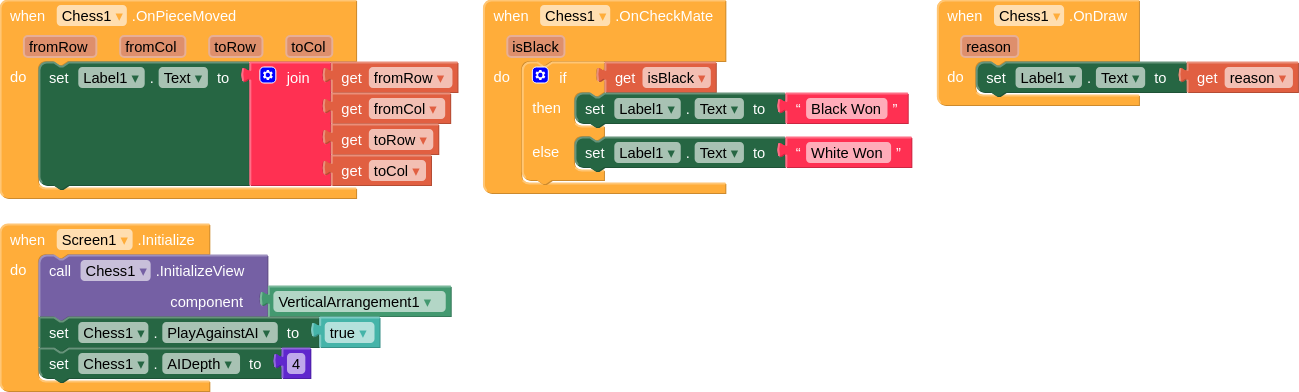
Blocks explained:
- When the screen initializes, enable AI, set depth to 4, set AI to play Black, and initialize the board
- When a piece is moved, update a label with the move info
- When checkmate happens, show who won
- When a draw happens, show the reason
Demo AIA: Chess.aia (67.0 KB)
FEN Support
The extension supports full FEN (Forsyth-Edwards Notation) for position setup and export.
Load a position
LoadFEN("rnbqkbnr/pppppppp/8/8/4P3/8/PPPP1PPP/RNBQKBNR b KQkq e3 0 1")
Export current position
GetFEN() → "rnbqkbnr/pppppppp/8/8/4P3/8/PPPP1PPP/RNBQKBNR b KQkq e3 0 1"
Starting position FEN
rnbqkbnr/pppppppp/8/8/8/8/PPPPPPPP/RNBQKBNR w KQkq - 0 1
Supported Chess Rules
| Rule | Status |
|---|---|
| All piece movements |  |
| En passant | |
| Castling (kingside + queenside, both colors) | |
| Pawn promotion (Queen, Rook, Bishop, Knight) | |
| Check detection | |
| Checkmate detection | |
| Stalemate detection | |
| 50-move rule | |
| Threefold repetition | |
| Insufficient material draw | |
| Legal move filtering (pins, discovered checks) | |
AI Details 
The built-in AI uses:
- Negamax search with alpha-beta pruning
- Quiescence search to avoid the horizon effect
- Iterative deepening with 5-second time control
- MVV-LVA move ordering with killer move heuristic
- Piece-square tables for positional evaluation
The AI searches on a copy of the board, so the UI never flickers during computation. Touch input is disabled while the AI is thinking.
Open Source
The extension is fully open-sourced and was made with the vision to not only implement the chess game, but understand what is happening in the backend and under the hood.
Download
Download the latest .aix file from GitHub:
 https://github.com/HorizonXDev/Chess-Extension/releases/latest
Direct download: io.devxhorizon.chess.aix (64.8 KB)
Developed with  by Horizon